Bundle lesson videos and recital recordings into “collections” and share them with your whole classroom.
See who has watched what, so homework videos and make-up lessons are easy to follow up.
No more unlisted YouTube links or sending videos over messaging apps — it all lives in the app.
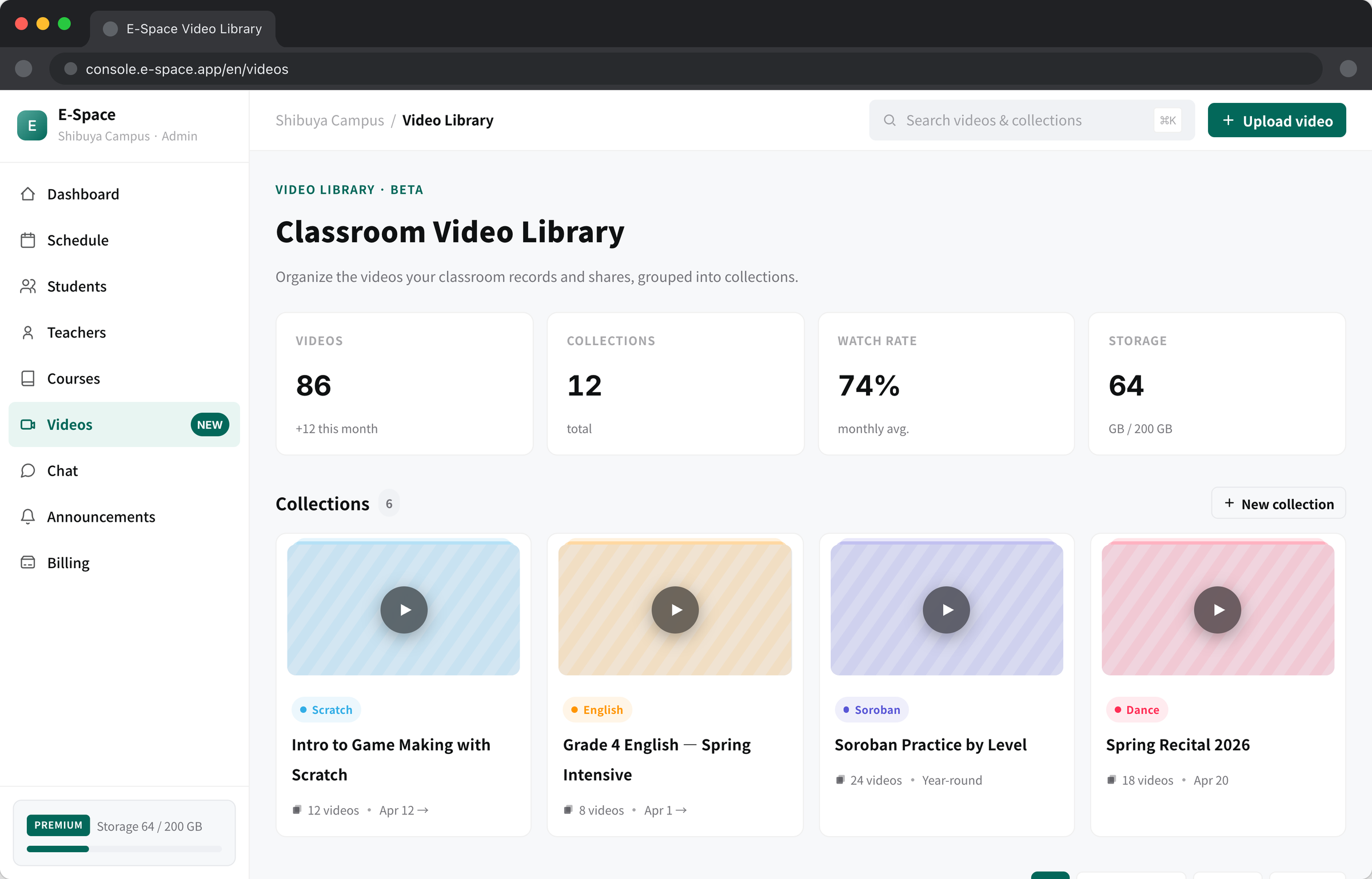
The video library in the web console. The same collections can be viewed and posted from the iOS / Android apps.
E-Space’s video library takes the hassle out of everything video: from handing out lesson materials to sharing recital recordings.
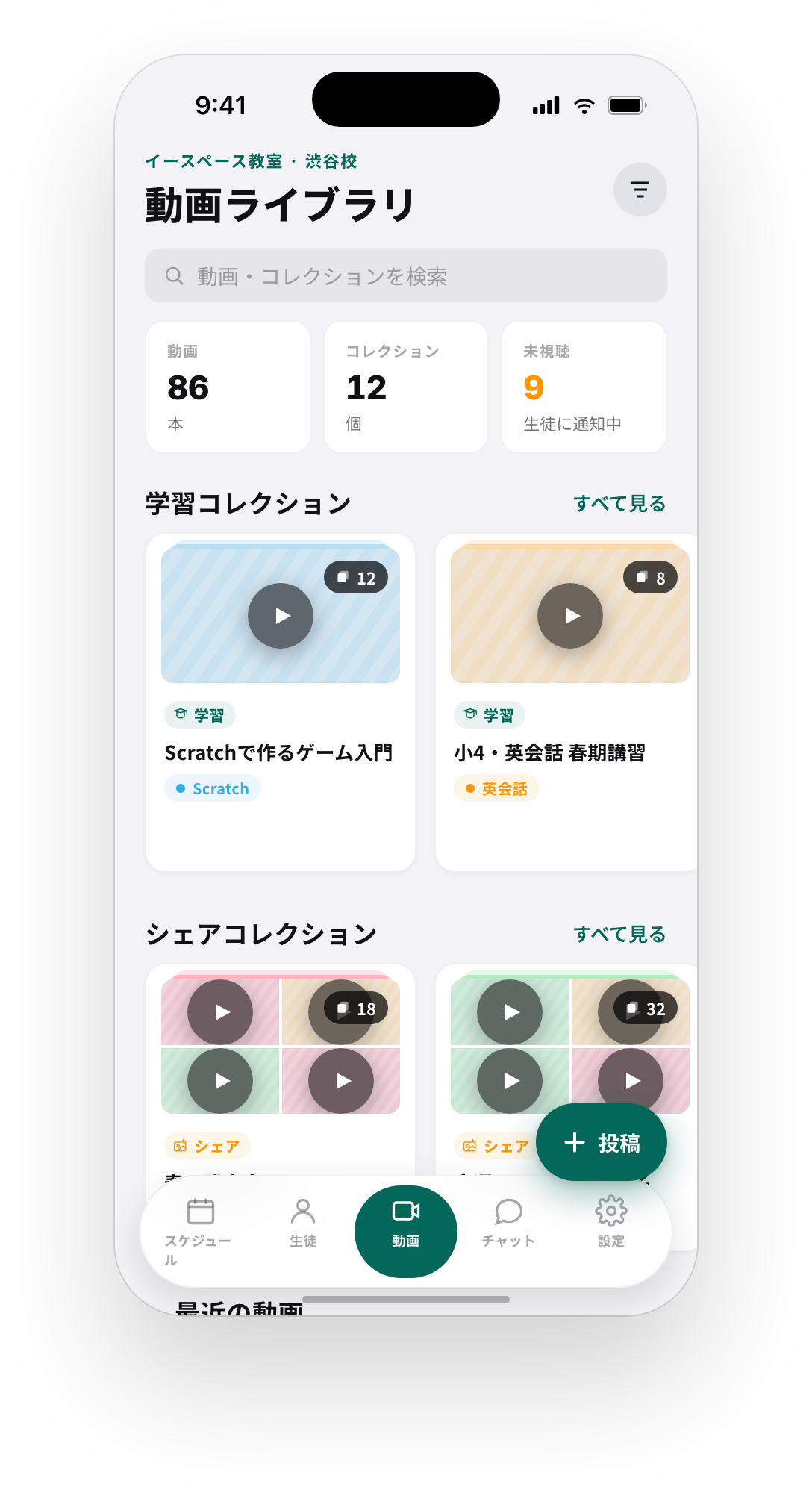
Open “Video library” in the app, create a collection, and upload your videos. Only classroom members can watch, and learning collections record each student’s progress automatically. Put recital recordings in a share collection and families can react with likes and comments.
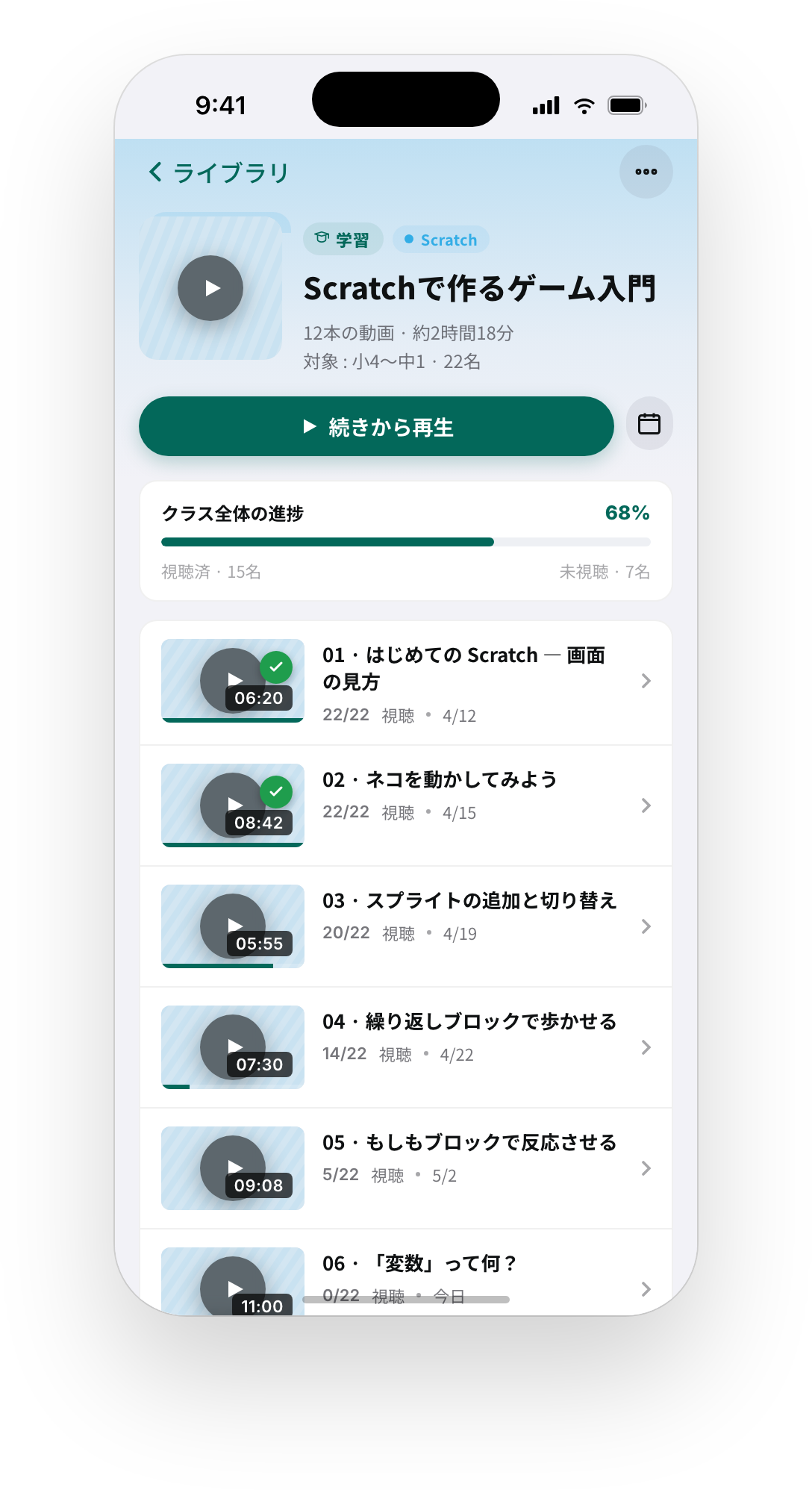
Arrange lesson videos in order and hand them out. Each student’s status (watched, partial, unwatched) is recorded automatically, which makes homework videos and review material easy to manage.
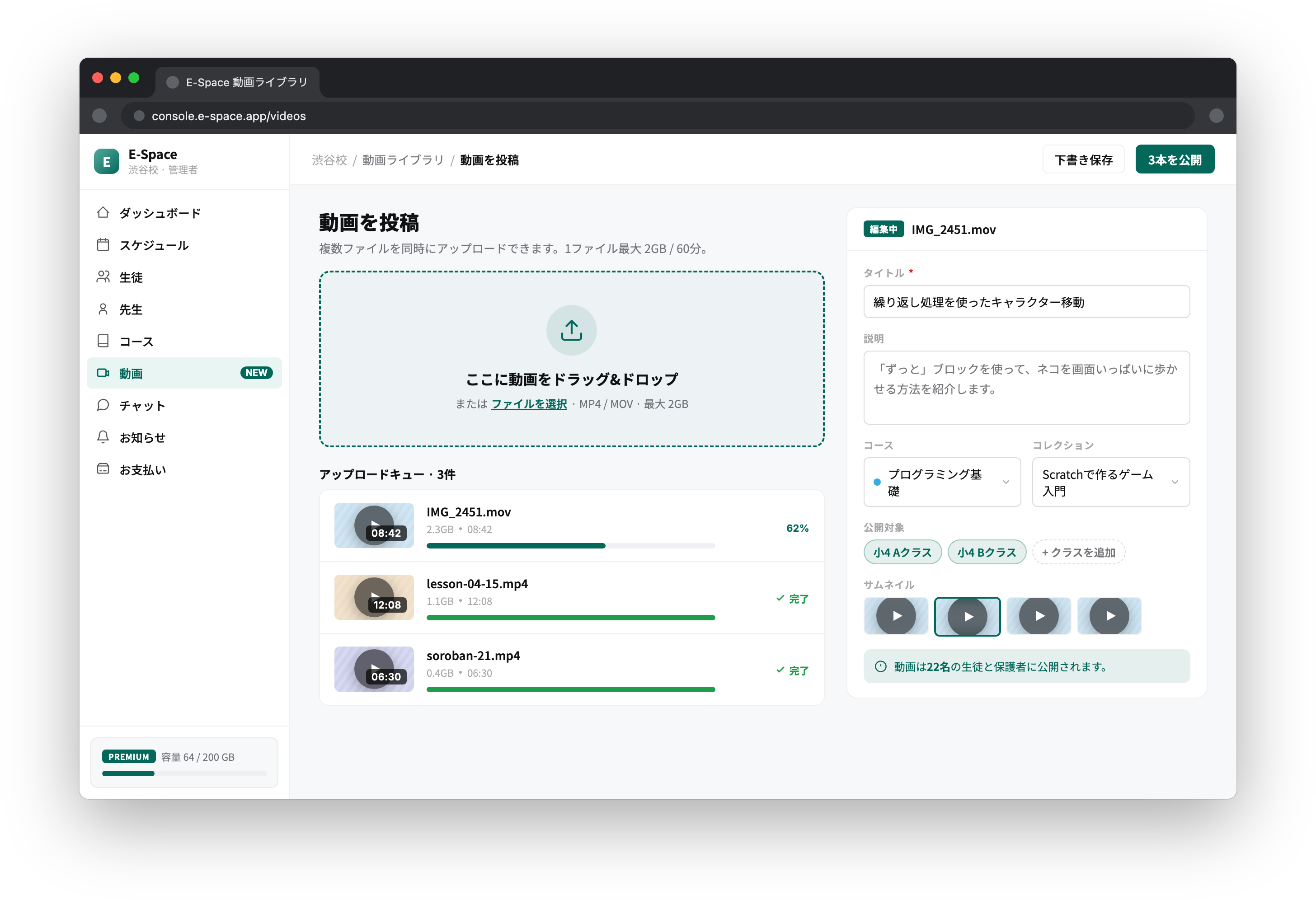
Drag and drop multiple files in the web console, or record and post straight from the iOS / Android app. Vertical videos are supported too.
Each video has a watch-status view listing students as watched, partially watched, or unwatched. Send a reminder to only the students who haven’t watched yet.
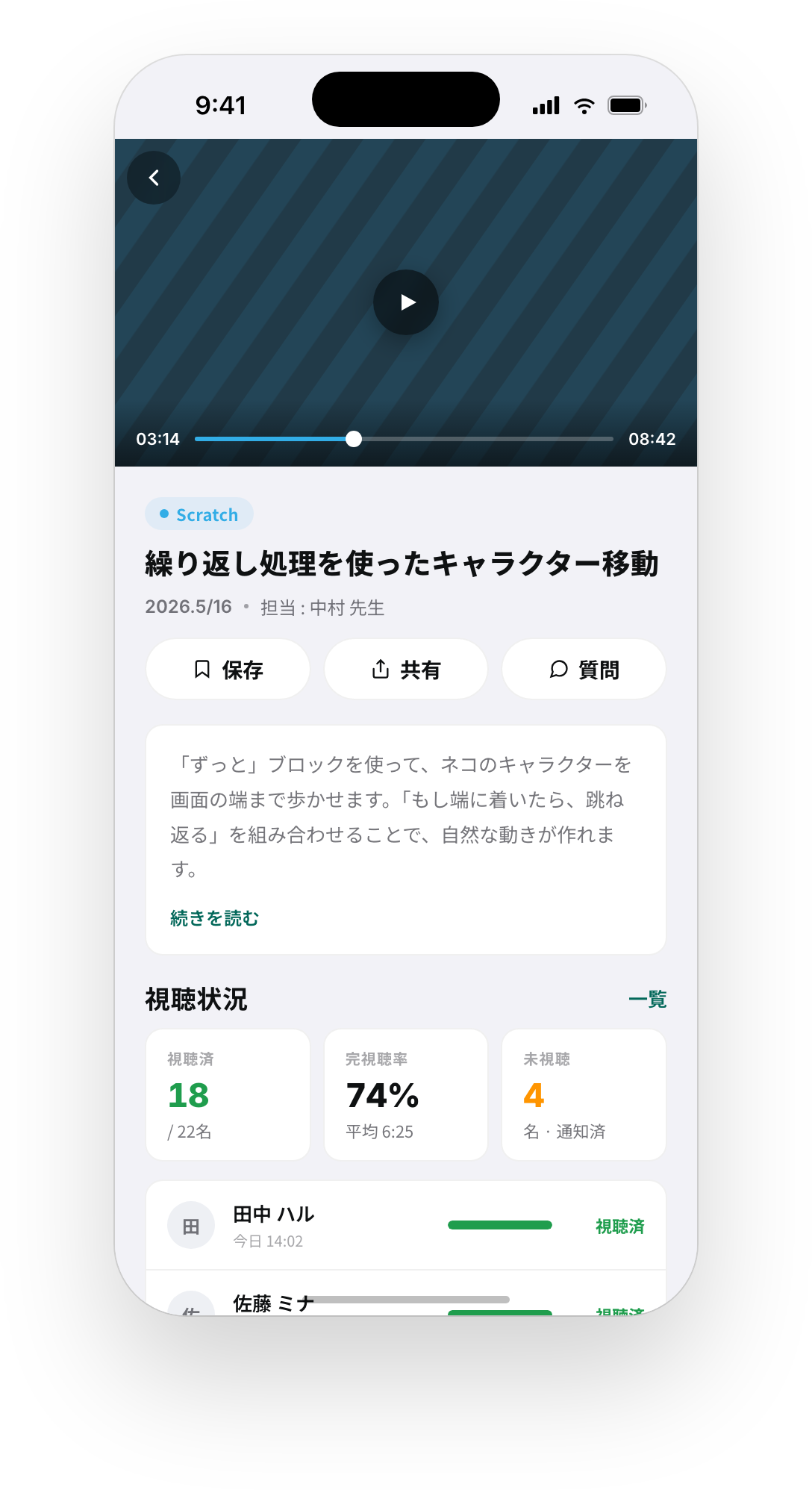
Post recital recordings and everyday classroom moments to a share collection. It is a closed space for classroom members only, so there is no worry about who appears in the video — just likes and comments.
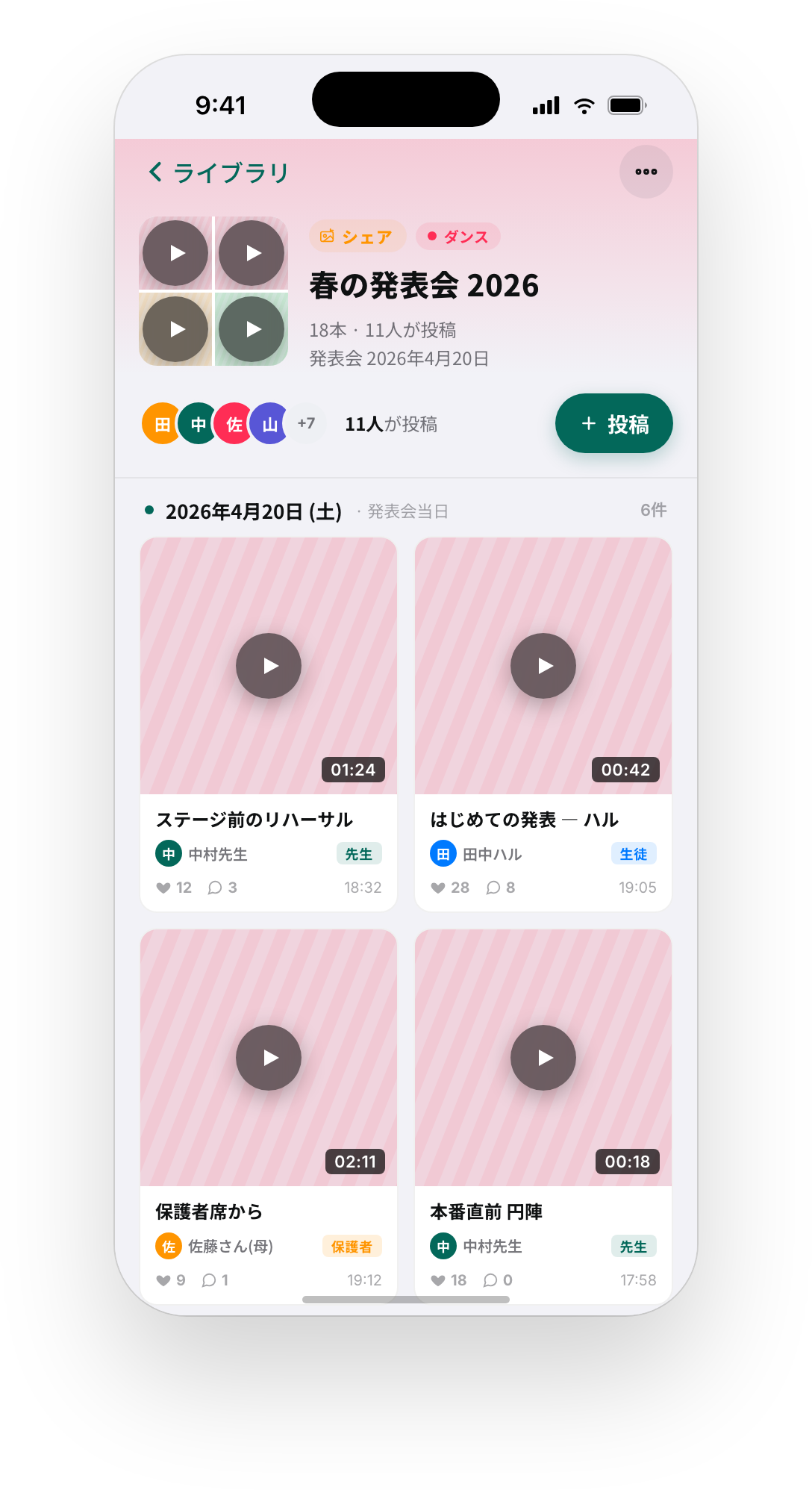
Lesson and recital videos that used to live on YouTube or in chat apps now sit inside the app, visible to members only.
Progress is recorded automatically and unwatched students can be reminded with a tap — less chasing for homework and make-up videos.
Share recitals and daily moments, and get likes and comments back. It builds satisfaction and retention.
A classroom admin or teacher creates a collection and uploads videos. Students and guardians watch in the app.
In “Video library”, tap “Create collection”. Choose Learning or Share, then set a title, description, and optional cover image. For Share, you can also allow student and guardian posts.
Open the collection and tap “Add video”. Select MP4 files (multiple allowed), set the thumbnail, guardian notification, and comment options, then upload.
Once published, classroom members are notified and can watch in the app. In learning collections, open a video’s “Watch status” to check progress and remind unwatched students.
E-Space is free to start.
With the video library on Premium and above, lesson handouts and recital sharing all happen inside the app.