FEATURES

E-Space Features

Everything you need to run a classroom, in one app.
From schedule management to chat and attendance —
every connection in your classroom, made smarter.

Schedule
Lesson creation
Chat
Attendance
Members
Notifications
Video library
Bulk scheduling
NEW · SIBLINGS

One guardian account for all your children's schedules

View every linked child's lessons, announcements, and reminders together on one screen. Children need no account of their own.

Learn more →
01

Schedule Management

See lesson schedules and enrolled students at a glance.
Monthly and weekly views give you the full picture of your classroom's plan.
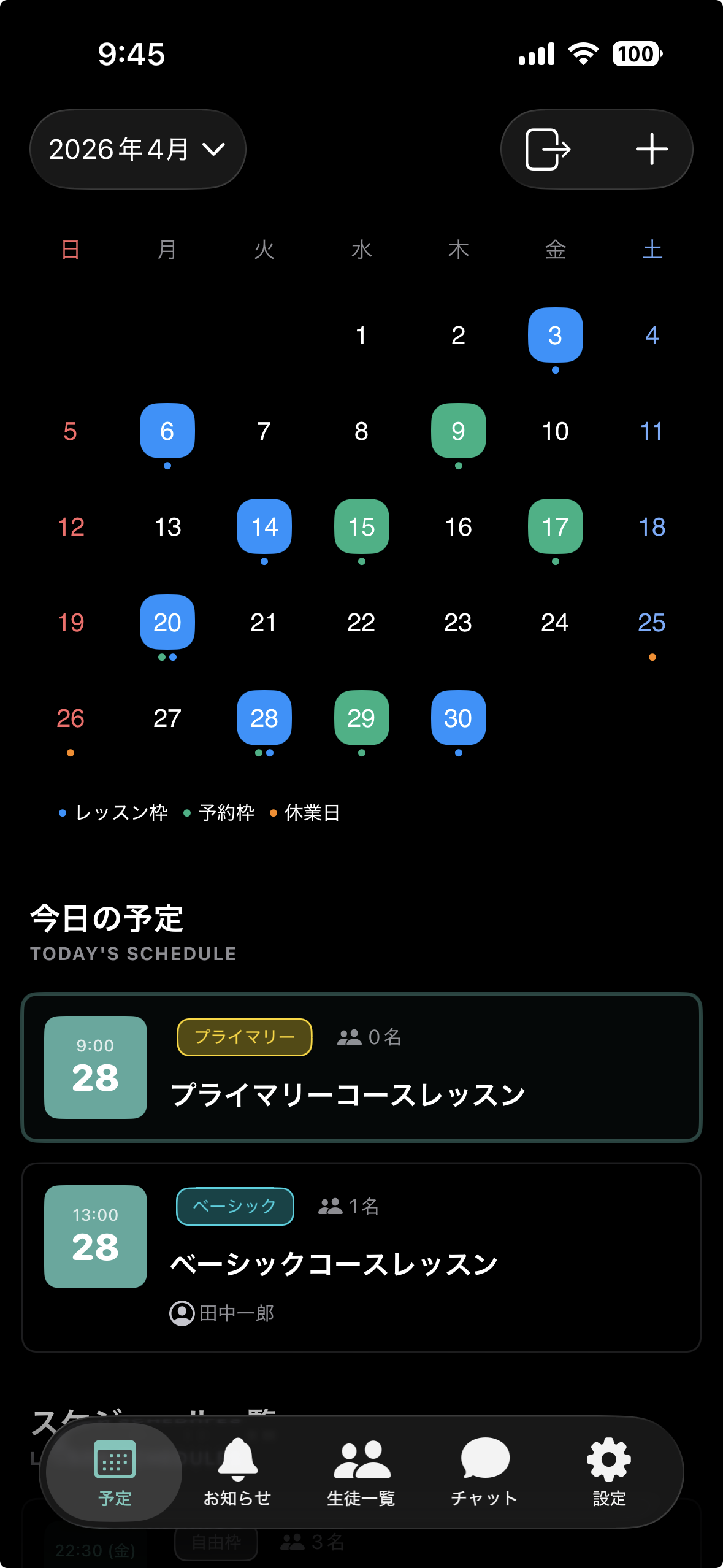
  • Calendar view for monthly and weekly schedules
  • Real-time student attendance per lesson
  • Manage schedules across multiple courses and classrooms
  • Students enrolled in several courses see booking slots from all of them
  • Students can check their own schedule from the app
Screenshot of the schedule management view
02

Lesson Creation

Create lessons with just a few taps.
Pick the date, course, and students — your schedule updates instantly.

  • Intuitive UI — create a lesson in just a few taps
  • Bulk-create recurring lessons
  • Create a whole month at once from saved lesson templates
  • Assign an instructor to each lesson (classroom admins can be selected too)
  • Customize lesson content per course
  • Auto-notify enrolled students on creation

* Lesson creation is available to classroom administrators only
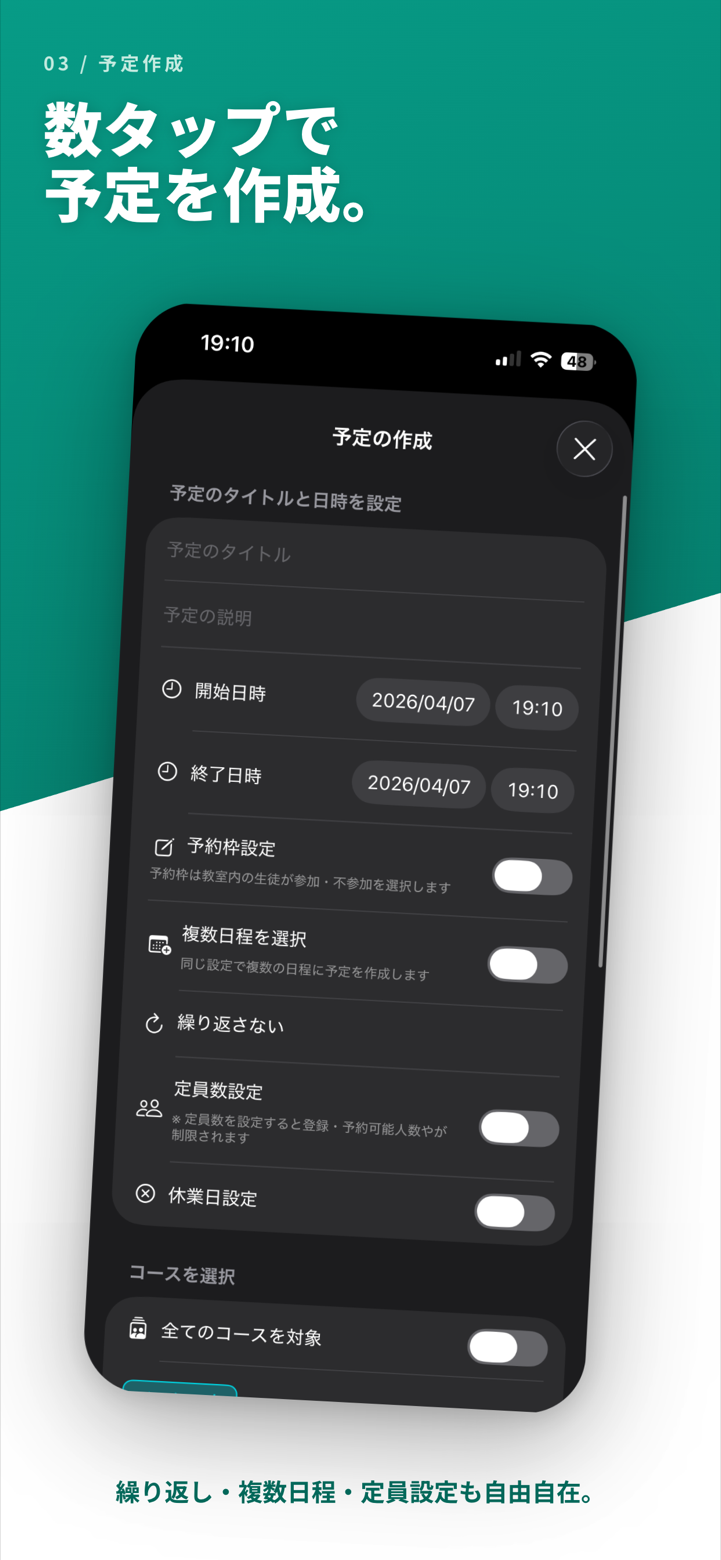
Screenshot of the lesson creation view
03

Chat

Chat with enrolled students directly.
Handle announcements and one-on-one messages all within the app.

  • Real-time chat with classroom members
  • Send and receive text and images
  • Read receipts confirm delivery
  • Push notifications so you never miss a message

* Chat usage limits depend on your subscription plan
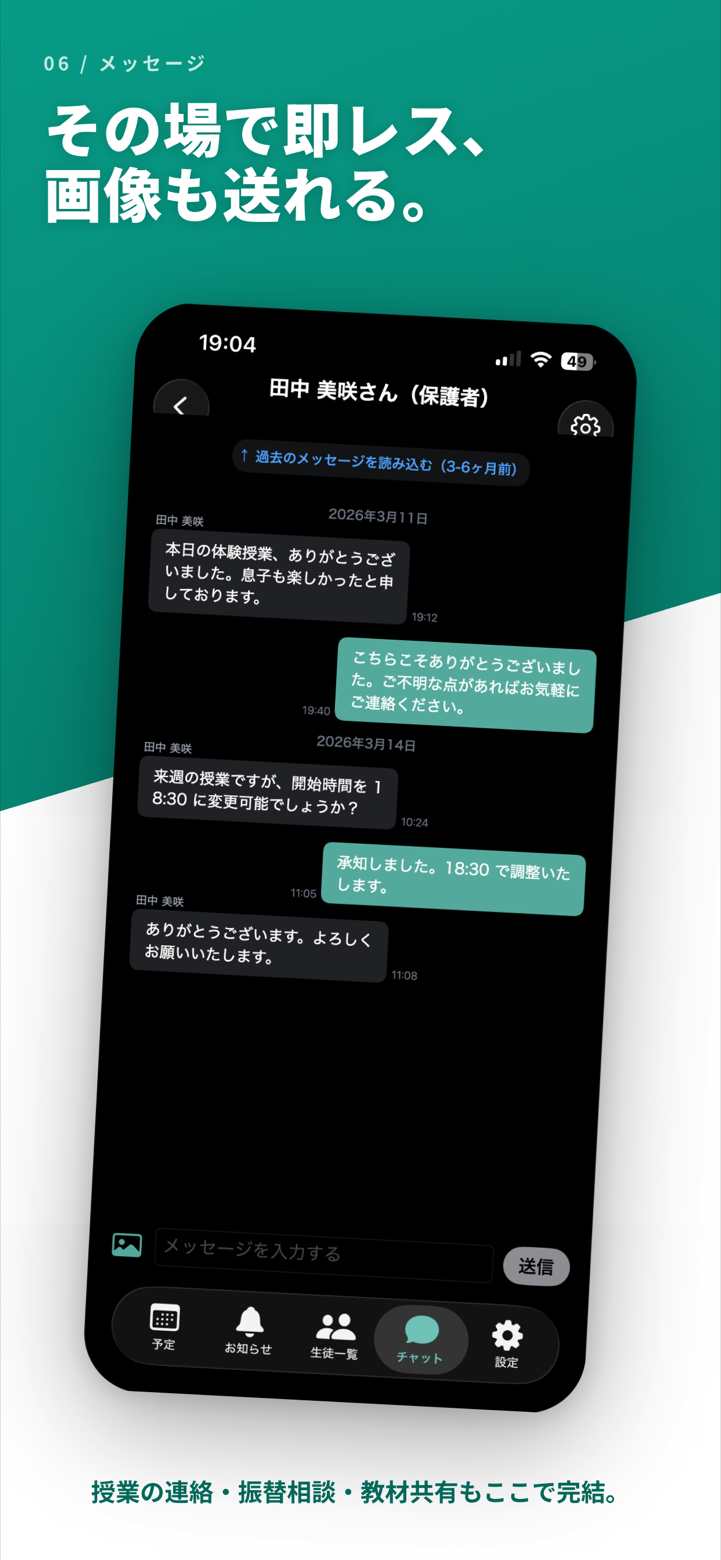
Screenshot of the chat view
04

Attendance (Check-in / Check-out)

Record student attendance with one tap.
Lesson-level attendance rates are calculated automatically.
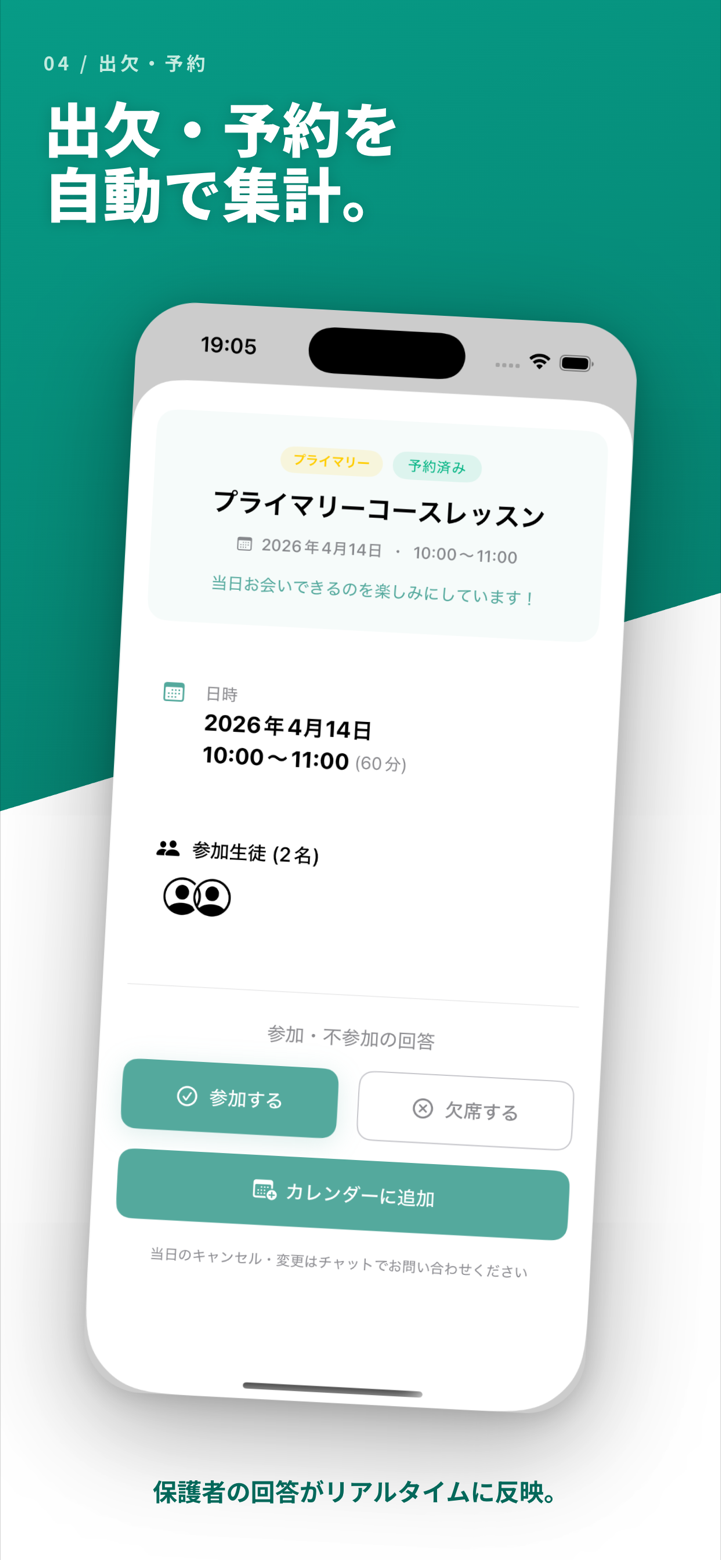
  • One-tap check-in / check-out
  • Real-time attendance display per lesson
  • Monthly attendance rates auto-calculated and reported
  • Attendance notifications for guardians
Screenshot of the attendance view
05

Student & Teacher Management

Manage every member of your classroom in one place.
Add students easily with invitation codes.
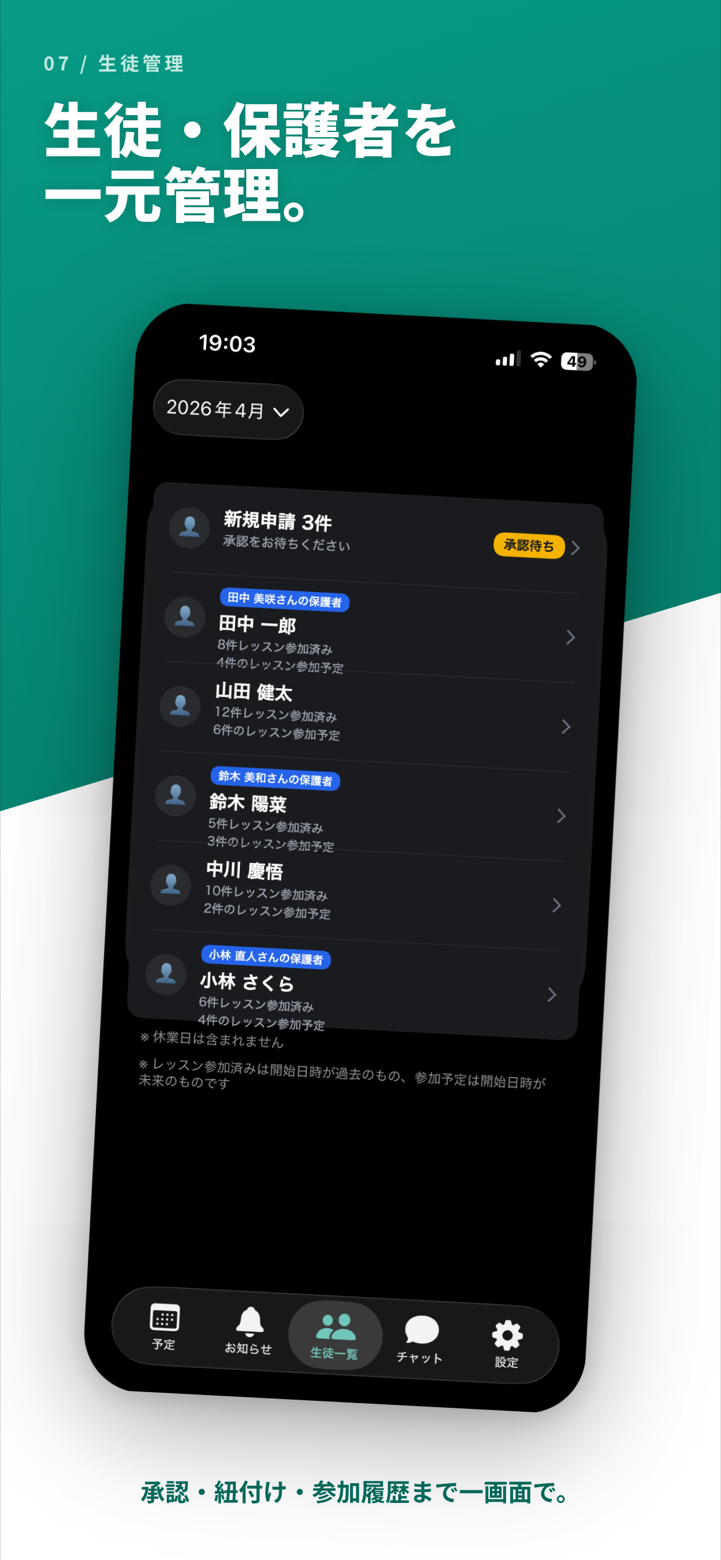
  • Share an invitation code — students join in seconds
  • Quick access to individual student info from the list
  • Add teachers and manage permissions
  • Group students by course
  • Assign multiple courses to a single student
Screenshot of the member management view
06

Notifications & Announcements

Push notifications deliver schedule changes and announcements in real time.
Never miss anything important.
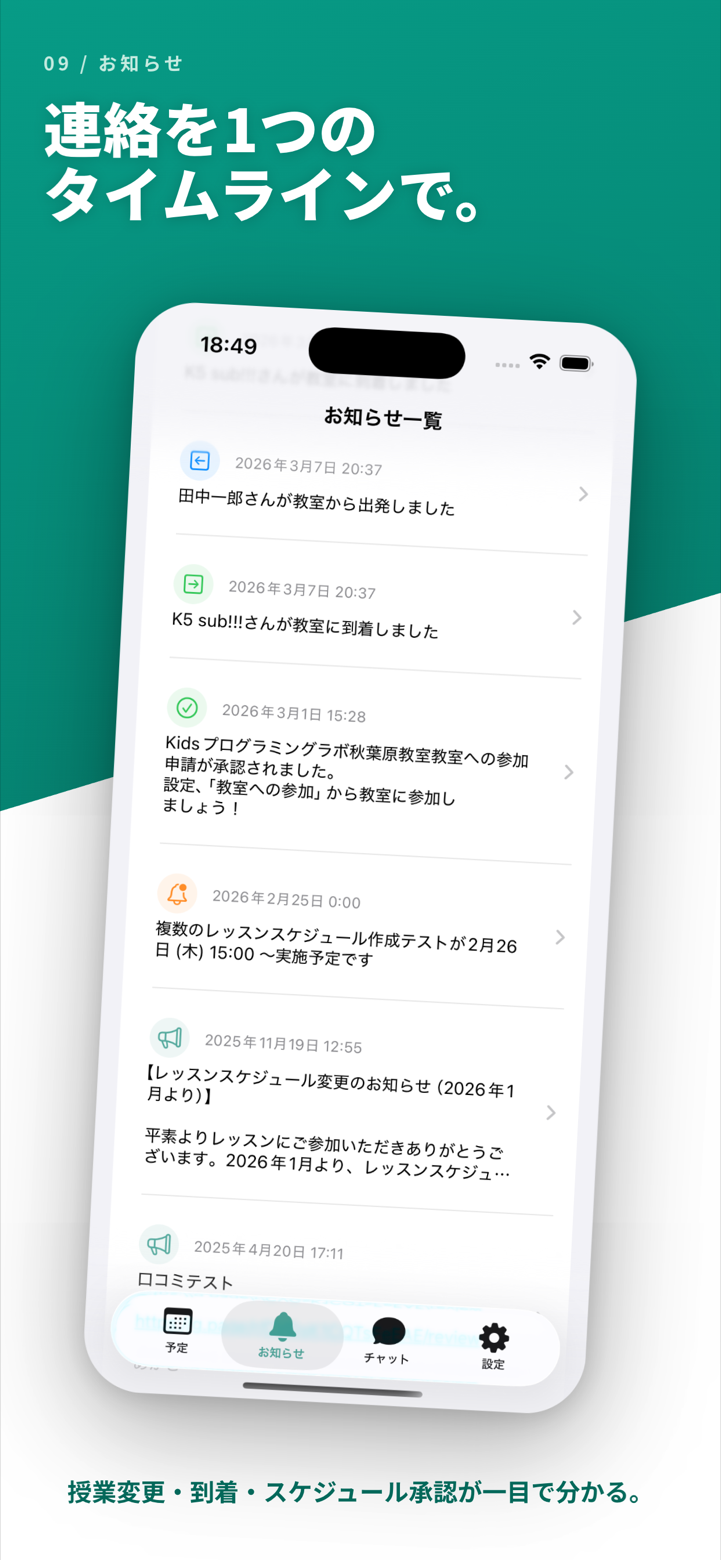
  • Auto push notifications for schedule changes
  • New chat message notifications
  • View all classroom announcements in one place
  • Read tracking lets administrators see who has seen what
  • Turn off E-Space announcement emails any time from settings
Screenshot of the notifications view
07

Video Library

Bundle lesson videos and recital recordings into “collections” to share with your whole classroom.
Teaching materials and memories, all inside the app.

  • Learning collections: ordered lesson videos with per-student watch progress
  • Share collections: post recitals and daily moments with likes and comments (students and guardians can post too)
  • Send a watch reminder to students who haven’t viewed yet, in one tap
  • Set a thumbnail from a photo or any frame of the video
  • Upload and watch from iOS, Android, or the web

* The video library is available on the Premium plan and above

See how it works →
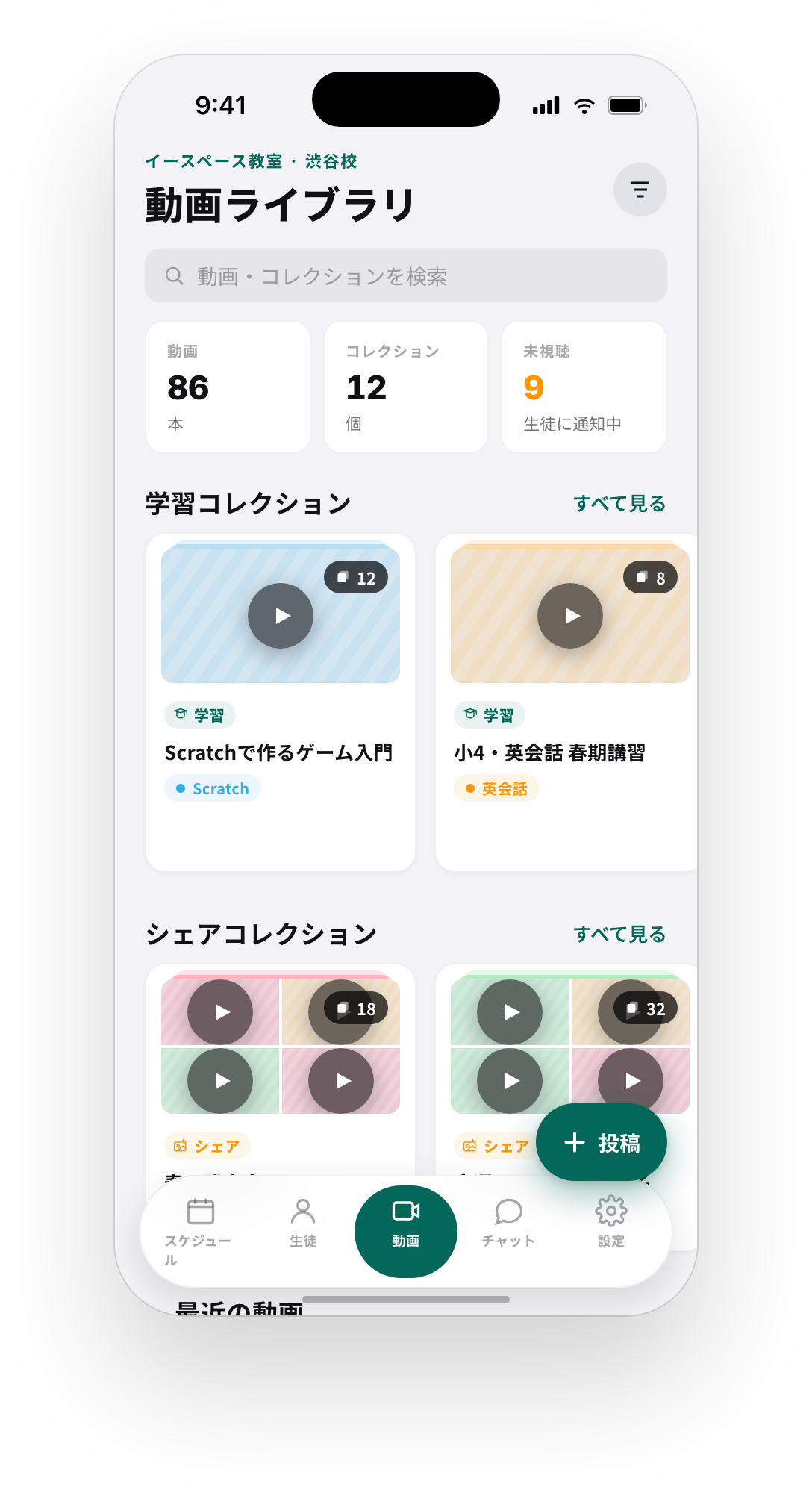
Video library screen (iOS)
08

Bulk Scheduling

Save your monthly lesson slots as templates and create a whole month of schedules at once.
No more typing the same lessons in every month.

  • Turn patterns like “1st & 3rd Saturday, 10:30–12:00” into templates by week, weekday, and time
  • Pick a month and candidate lessons are expanded from your templates automatically
  • Lessons already created are skipped, so nothing gets duplicated
  • Templates can include reservation slots (students reply with attendance), capacity, and location
  • Check only the lessons you want, so holiday months and irregular weeks are easy

* Bulk scheduling is available on the Basic plan and above

See how it works →
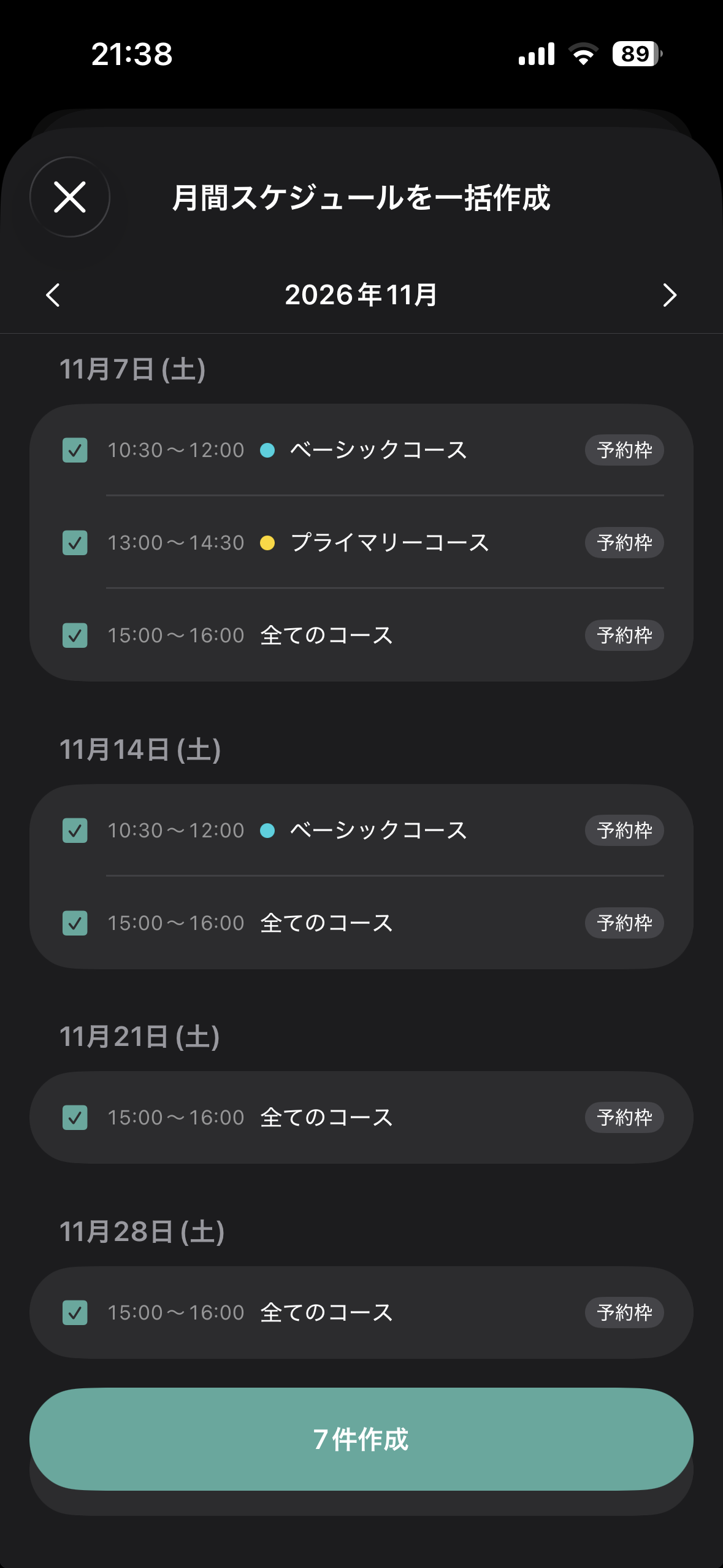
Bulk scheduling screen (iOS)

What you can do with E-Space

Schedule

Manage lesson schedules in monthly and weekly views. See student attendance at a glance.

Lesson creation

Create lessons in just a few taps. Build a whole month from templates and assign an instructor to each lesson.

Chat

Real-time communication with classroom members. Image sharing supported.

Attendance

Check-in with one tap. Automatic attendance rate calculation streamlines classroom operations.

Members

Add students easily with invitation codes. Assign multiple courses per student, and manage teacher permissions.

Notifications

Push notifications deliver schedule changes and new messages in real time.

Video library

Share lesson videos and recital recordings as collections, with watch progress, likes, and comments.

Bulk scheduling

Template your monthly lesson slots and create a whole month at once. Existing lessons are skipped automatically.

Download for free today

E-Space is free to use.
Make your classroom operations smarter — start today.