
"I spend half my Sunday reorganizing the schedule in a spreadsheet." "A parent's makeup class request got buried under 40 other WhatsApp messages." These are not edge-case frustrations — they're the everyday reality for independent tutors and small tutoring businesses running on patchwork tools.
This article breaks down the three most common scheduling pain points for private tutors, homeschool co-ops, and after-school program operators, then shows how a purpose-built scheduling app changes the picture.
Three Scheduling Problems That Grow With Your Tutoring Business
Problem 1: Paper and whiteboards mean triple the effort
Tutoring businesses that run on hand-written rosters or a classroom whiteboard face the same cycle every time something changes: erase, rewrite, then tell everyone. That "tell everyone" step is where things fall apart. You call one tutor, message another parent, and leave a note for the third — and one of those three fails to arrive on the right day at the right time.
"I confirmed a makeup class time with the student but forgot to update the instructor" is a story most small tutoring operations know well. Paper records are inherently point-in-time: they capture what was true when you wrote them, not what's true now.
Problem 2: WhatsApp and SMS are great for chat, poor for scheduling
Messaging apps are already embedded in every parent's daily routine, which is exactly why tutors default to them for absence reports and rescheduling requests. The problem is that a chat thread is not a record. When a parent texts "Can we move Thursday's session?", that message lives in a stream of dozens of other conversations, with no flag, no status, and no guarantee you'll catch it before Thursday arrives.
When multiple families contact you simultaneously — as happens at the start of a new term or before a school holiday — the risk of a missed reply compounds fast. Tutors who handle WhatsApp scheduling report spending 30–60 minutes per day just on message triage.
Problem 3: Spreadsheets are flexible but slow and fragile
Google Sheets or Excel-based scheduling is a step up from paper, but comes with its own friction: building the sheet initially takes time, updating it mid-session from a phone is awkward, and simultaneous edits by two tutors can silently corrupt data. For a tutoring practice where the operator is also the main instructor, there's rarely a dedicated admin hour to maintain a spreadsheet properly.
The deeper issue is that a spreadsheet has no concept of a student, a course, or a makeup class. You have to build all of that logic yourself — and rebuild it every term as circumstances change.
What Changes When You Switch to a Scheduling App
A scheduling app purpose-built for tutoring businesses replaces the patchwork with a single system that connects your class calendar, your student roster, and your parent communication. Here's what shifts in practice:
Schedule changes reach everyone instantly
When you update a session in the app — time, tutor, room — a push notification goes to every affected student and parent automatically. You update once; everyone sees the change. No individual messages, no follow-up calls to confirm receipt.
Attendance and makeup class records update themselves
When a student misses a session, the record is created in the app, and the makeup class credit is tracked automatically. "Did we already complete the makeup from two months ago?" becomes a one-second lookup instead of a cross-referencing exercise across three tools.
Accessible from your phone, anywhere
A tutoring business operator is not always at a desk. A mobile-first scheduling app means you can check tomorrow's roster between sessions, add a makeup class on the train, or respond to a rescheduling request from a coffee shop — without opening a laptop.
Tutoring businesses that make the switch consistently report saving 3–5 hours of admin work per week. That time goes back into lesson preparation, student follow-up, and growing the practice.
E-Space for Tutoring Business Scheduling
E-Space (e-space.app) is a scheduling and classroom management app built specifically for educators running private tutoring practices, homeschool co-ops, and after-school programs. It runs on iOS, Android, and a web console, so every member of your team can access it on their preferred device.
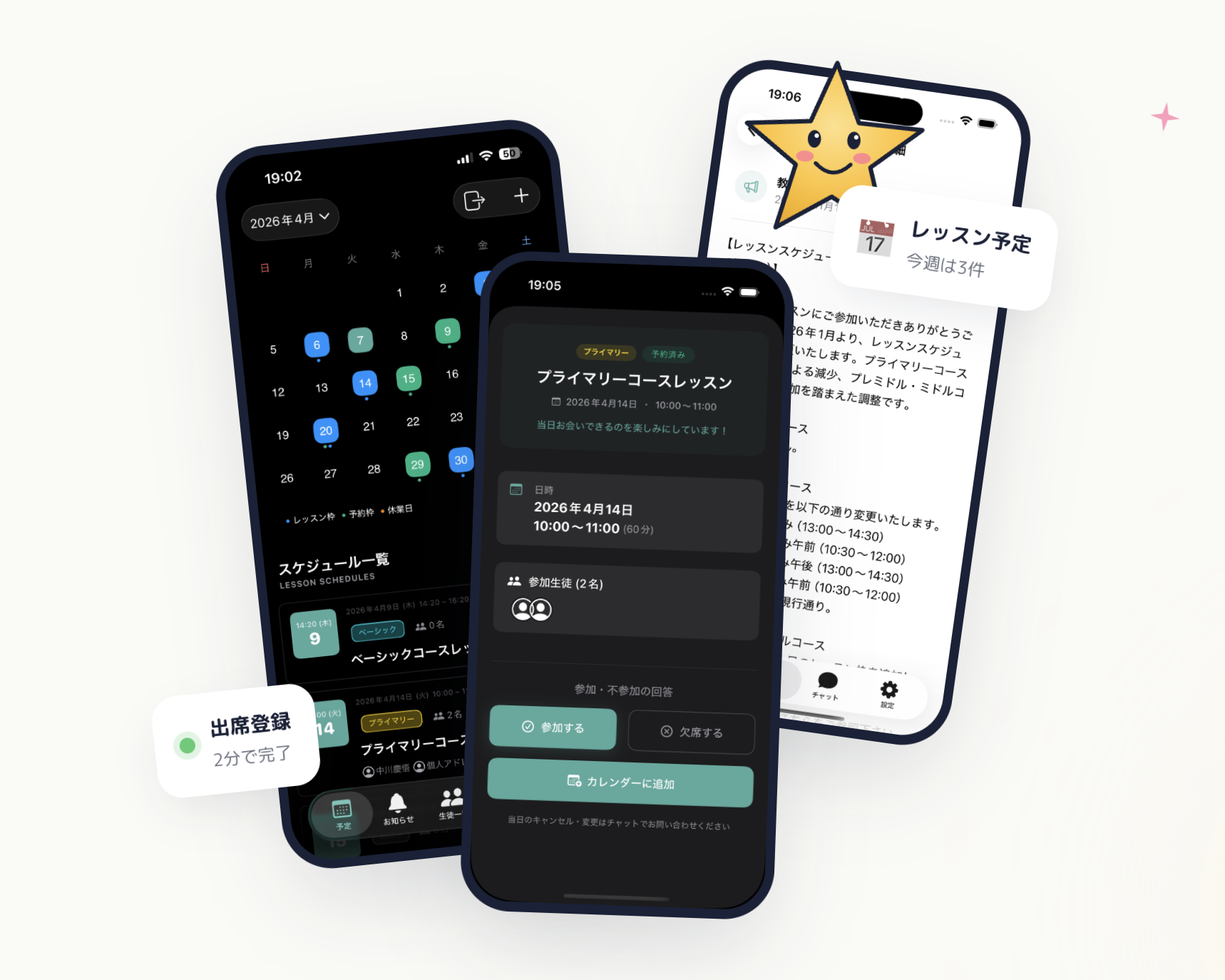 E-Space — calendar, student management, and notifications in a single app
Invite tutors and students with an invitation code
No complicated setup. You generate an invitation code, share it with your tutors and students, and they join your classroom group with a single tap. No IT background required — if you can set up a group chat, you can set up E-Space.
Manage your entire class schedule in one calendar
Add sessions, adjust times, cancel classes, or schedule makeup classes directly in the app calendar. Every change triggers an automatic push notification to the relevant students, parents, and tutors — so you never have to chase anyone down.
Attendance and makeup class tracking built in
Mark attendance for each session in the app. When a student is absent, their makeup class entitlement is created automatically. When the makeup session is completed, the balance updates. No manual tracking, no sticky notes, no end-of-month reconciliation.
Keep all communication inside the app
E-Space's built-in chat lets parents report absences and request makeup classes directly in the app, alongside the schedule. When a parent messages you about rescheduling, the context — which student, which course, what session — is right there. No more digging through WhatsApp to figure out what someone was referring to.
Start on the free plan, no credit card needed
E-Space's free plan lets you test the full scheduling workflow with your real students before you commit to anything. For most solo tutors, the free plan covers everything they need to get started.
| Plan | Monthly | Best for |
|---|---|---|
| Free | $0 | Solo tutors getting started |
| Basic | $19.80 / mo (approx. ¥2,980) | Growing tutoring practices |
| Premium | $65 / mo (approx. ¥9,800) | Multi-tutor programs |
| Unlimited | $132 / mo (approx. ¥19,800) | Large after-school operations |
Wrapping Up: Better Scheduling Is Within Reach
Paper, WhatsApp, and spreadsheets can keep a small tutoring practice running — until they can't. The tipping point tends to arrive between 15 and 25 students: enough volume that one missed message or one spreadsheet error costs you real trust with a family.
Moving to a purpose-built scheduling app is not a technology project. It takes less than an afternoon to set up, and the relief on your first week — no Sunday spreadsheet sessions, no chasing confirmation messages — is immediate.
E-Space's free plan requires no credit card. Set up your classroom, add your first five students, and run a week of real sessions through the app. You'll have a clear answer on whether it fits your practice — without spending a dollar.